Why Is My Apple CarPlay Not Working?
Apple CarPlay usually stops for one of five reasons: a bad USB path, a wireless pairing failure, blocked permissions, iPhone settings, or head-unit firmware. Apple Support says setup and troubleshooting start with confirming CarPlay support, checking the correct connection method, and restarting or re-adding the car when needed. Guessing wrong wastes time on the wrong device, so this guide helps you spot the failure pattern first, then fix wired, wireless, partial, and intermittent CarPlay problems step by step.
What symptom do you see first?
Start with the failure pattern, not a random checklist. A phone that still charges tells you something different from a phone that never launches CarPlay, and a system that works for music but fails for calls points to a different layer again. Wired and wireless CarPlay fail in different ways.
Match the symptom to the likely cause
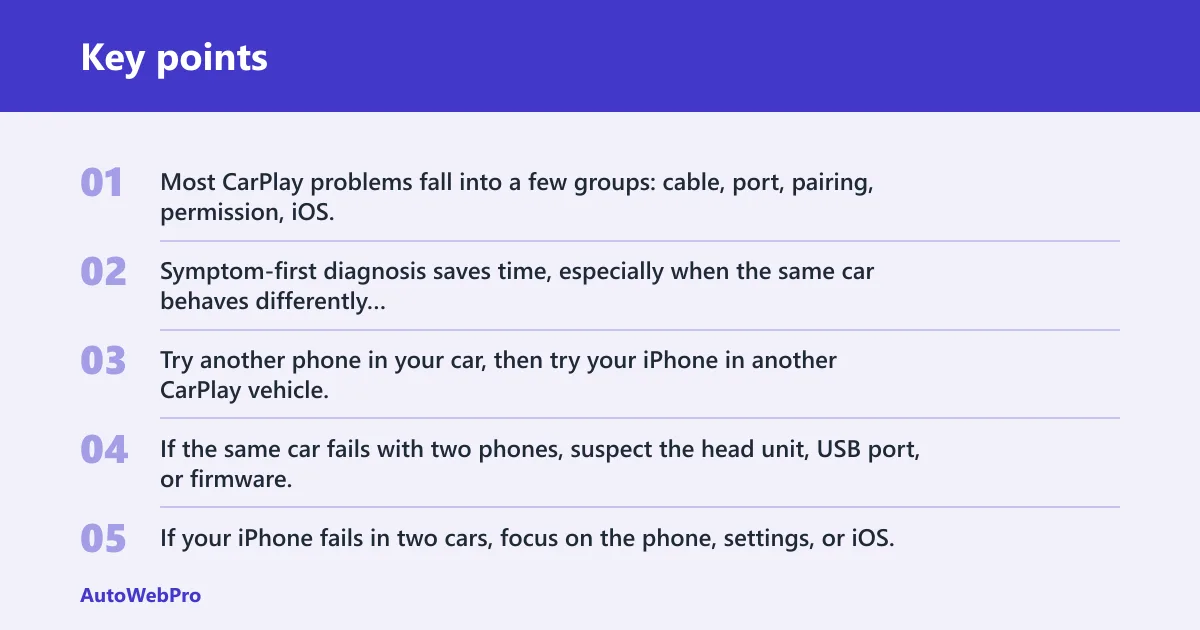
Most CarPlay problems fall into a few groups: cable, port, pairing, permission, iOS, or head unit. Symptom-first diagnosis saves time, especially when the same car behaves differently with wired and wireless setups.
Use a quick swap test to isolate phone or car
The fastest isolation step is simple. Try another phone in your car, then try your iPhone in another CarPlay vehicle. If the same car fails with two phones, suspect the head unit, USB port, or firmware. If your iPhone fails in two cars, focus on the phone, settings, or iOS.
Say your iPhone connects for calls, but the CarPlay icon stays missing on the vehicle screen. That points away from raw power and toward data lines, the wrong USB port, or a cable that can still charge while its data side has failed. On some models, the usable port is labeled with a phone or CarPlay icon, while other USB sockets are charge-only.
CarPlay failure matrix
| Symptom | Likely culprit | Wired vs wireless | Fastest first step | Next escalation | Contact dealer when |
|---|---|---|---|---|---|
| Charges but will not connect | Cable or car USB port | Wired | Try a known-good data cable in the port labeled for phone or CarPlay | Test the iPhone in another car | The same port fails with multiple cables or phones |
| Connects, then drops | Cable, port, or head unit | Wired or wireless | Retest with a different cable or re-check the wireless pairing | Forget the car and re-add CarPlay | Disconnects repeat after re-pairing |
| Black screen or blank launch | Head unit or iOS | Either | Restart the phone and infotainment screen | Check for iOS and head-unit firmware updates | The black screen returns after updates and resets |
| No CarPlay icon at all | Permission, Siri, pairing, or head unit | Either | Check Settings > General > CarPlay | Review Siri, Screen Time, and any new-phone migration prompts | The car still does not offer CarPlay after setup |
| Works after update, then stops | iOS, permissions, or head unit | Either | Check the most recent change first | Reset CarPlay permissions and update the car firmware if available | The issue began right after a software change |
| Wireless-only failures | Bluetooth, Wi‑Fi, or VPN | Wireless | Turn on Bluetooth and Wi‑Fi, then disable VPN | Forget the wireless pairing and set it up again | Wired CarPlay works but wireless never completes |
| Phone-calls-only failures | Bluetooth pairing or permission | Wireless or mixed | Check the car’s call audio and Bluetooth connection | Re-pair the car and confirm Siri is enabled | Calls fail in every pairing while music still works |
Why is my Apple CarPlay not working in my car?
First confirm the car supports Apple CarPlay and that you are using the right connection type. The same source says to check whether the vehicle supports CarPlay and to use the correct USB port or wireless setup for that model. Some head units support wired CarPlay only, while others support wireless CarPlay only or both. If the wrong port, a charge-only cable path, or a stale pairing is in play, the car can look compatible while CarPlay never launches.
Check whether the car supports CarPlay
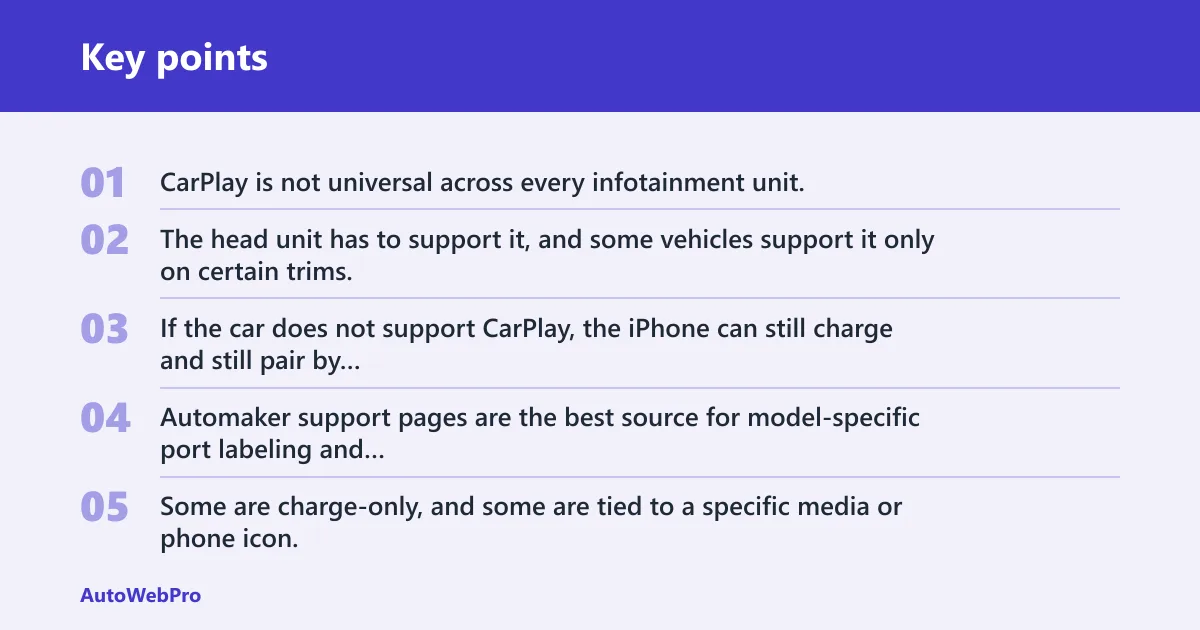
CarPlay is not universal across every infotainment unit. The head unit has to support it, and some vehicles support it only on certain trims, ports, or software versions. If the car does not support CarPlay, the iPhone can still charge and still pair by Bluetooth, which makes the failure easy to misread. Automaker support pages are the best source for model-specific port labeling and trim-level compatibility.
Confirm you are using a data-capable USB port
Not all USB ports in a car carry data. Some are charge-only, and some are tied to a specific media or phone icon. If your cable charges the phone but CarPlay never opens, the port may be the problem rather than the phone. A worn port can also fail intermittently before it fails completely.
Test with a known-good cable
Use a data-capable cable that is MFi-certified or Apple-certified. A Lightning or USB-C cable can still charge while its data lines fail, so charging alone does not prove the cable is fine. If a new cable works at once, the old one likely failed on data transmission.
A common first-timer mistake is replacing the iPhone settings first and ignoring the port. If one cable works in another car but not this one, the car port or head unit is a stronger suspect than the phone.
Why is my Apple CarPlay not working all of a sudden?
Sudden failure usually follows a recent change. Apple Support and automaker guidance both emphasize checking recent software changes, pairings, and permissions first. Start with the most recent change instead of assuming the cable failed at random.
Look for the most recent change
Ask what changed last: iPhone update, car update, new cable, Screen Time setting, VPN, or a phone switch. That single clue often points straight to the fault. If the car worked yesterday and failed after an update today, software compatibility rises to the top of the list.
Check for iOS and head-unit firmware updates
iPhone software compatibility matters, especially after a new release. The car side matters too. The same source recommends checking for software updates on the iPhone, and automaker support pages often list infotainment updates or reset steps for the vehicle side. That matters most when the problem began after a system update and keeps returning after resets.
Reset stale pairings and permissions
Old pairings can survive after a software change and then break the next time CarPlay tries to launch. Forget the car in Settings > General > CarPlay, then set it up again. Also check that Siri is still enabled, because that setting can be turned off by a change, restriction profile, or migration to a new phone.
Why is my Apple CarPlay not working when I plug my phone in?
When wired CarPlay fails on plug-in, the first suspects are the cable and the USB port. The phone may still charge, so the plug feels normal even though data is not passing. The same source says to verify the correct USB port, restart the devices, and reconnect the cable if setup fails.
Separate a weak cable from a worn port
Swap in a known-good data cable first. If that fails, move to another USB port in the car, if one exists. Repeated use can wear the port enough that it slowly kills cables or stops reading data cleanly, which can make a fresh cable appear bad when the port is the real problem.
Check for dirty or loose connections
Lint, bent contacts, and a loose fit can interrupt data while power still flows. If the cable can move inside the port, or if the connection drops when the phone shifts, the fault may be mechanical rather than software-based. Repeated disconnects after replugging point to the port or cable path.
Watch for repeat failures after replugging
If the same port works once and then fails again a few minutes later, suspect a worn car USB socket or a bad cable head. That pattern matters. A single clean connection issue can be random, but repeat failures on the same port usually mean hardware trouble in the car.
Why does CarPlay connect and then drop?
Connect-then-drop failures usually point to a weak cable, a worn port, or a head unit that loses the session after launch. Wireless systems can do the same thing when Bluetooth or Wi‑Fi handoff breaks. If the drop happens at the same point each time, the cause is often repeatable.
Watch for dirty or loose connections
A loose cable can let CarPlay start and then break under vibration or steering movement. If the screen flickers, reconnects, or drops when the phone moves, the cable or port is the first thing to test. A cable can be fine for charging and still fail under data load.
Separate a weak cable from a worn port: try a different cable
Try a different cable in the same port, then the same cable in another compatible car. If the problem follows the cable, replace it. If the problem stays with the car, the port or head unit is the stronger lead. Worn ports often fail more than one cable over time.
Use a clean re-pair if wireless drops
Wireless CarPlay uses Bluetooth plus Wi‑Fi, and Apple Support says to keep both radios enabled for wireless setup. If either radio link is unstable, the session can drop after it starts. Turn on Bluetooth and Wi‑Fi, disable VPN, then forget the car and pair it again. If you need a broader refresher, use the steps in the wireless CarPlay setup path before re-testing.
Why is my Apple CarPlay not showing up at all?
When CarPlay is missing completely, look for blocked permissions, Siri settings, wireless radio settings, or a head unit that never sees the phone. The problem can also come from Screen Time or Content & Privacy Restrictions. A hidden block can make CarPlay disappear even when the cable and car are fine.
Check Siri, Bluetooth, and wi‑Fi on the iPhone
CarPlay requires Siri. Wireless CarPlay also requires Bluetooth and Wi‑Fi. If Siri is off, or if Bluetooth or Wi‑Fi is disabled, the phone may never present CarPlay correctly. For wireless setups, both radios need to stay on long enough for the handshake to complete.
Review Screen Time and content & privacy Restrictions
Check Screen Time settings and Allowed Apps. Content & Privacy Restrictions can block CarPlay, and the setting may be changed by a family profile, a device-management policy, or an iOS update. After an update or a new-phone migration, a permission reset can be the difference between a missing icon and a working launch.
Forget and re-add the car in Settings > General > CarPlay
The same source says to open Settings, tap General, then CarPlay. From there, forget the car and set CarPlay up again. That step clears stale pairings and is often worth doing after software updates, a new phone, or repeated wireless failure.
Why is my Apple CarPlay not working after an iPhone update?
An iPhone update can change permissions, radio behavior, or compatibility with the car. When CarPlay fails right after an update, suspect the update first rather than a random cable problem. The same source recommends checking for updated software and re-setting the connection if the issue starts after an iOS change.
Check the new settings that may have changed
After an update, confirm Siri is still enabled, Bluetooth and Wi‑Fi are on, and Screen Time has not blocked CarPlay. A VPN can also interfere, especially with wireless CarPlay. If the phone updated and CarPlay broke that same day, settings and wireless permissions deserve a close look.
Reset stale pairings and permissions: forget the car
Forget the car in Settings > General > CarPlay, then add it again. That clears a pairing that may no longer fit the new iOS state. If wired CarPlay still works but wireless fails, the issue is more likely in the Bluetooth or Wi‑Fi handshake than in the USB side. The related Bluetooth connection details can help isolate whether the phone is pairing at the radio level but failing at CarPlay handoff.
Check for head-unit firmware updates
Some cars need a firmware update from the dealer to stay compatible with newer iPhone software. If the issue started right after an iOS update and persists across cables, ports, and resets, ask the dealer whether an infotainment update is available. That is especially useful when multiple phones now fail in the same car.
Frequently asked questions
Why is my Apple CarPlay not working with my new phone?
A new phone usually means a new pairing state, a different iOS version, or a different cable type. Check that the car is forgotten and added again in Settings > General > CarPlay, then confirm Siri, Bluetooth, and Wi‑Fi are on. If wired CarPlay fails, test a data-capable cable first. New-phone migration can also leave the old vehicle profile in place, so clearing the stored pairing is often the fastest reset.
Why is my Apple CarPlay not working for phone calls?
Phone-calls-only failures usually point to Bluetooth pairing, not the whole CarPlay path. The car may still handle music and maps while call audio fails. Check the Bluetooth connection on the iPhone, re-pair the car, and confirm Siri is enabled, since call control depends on that setup in many vehicles.
Why is my Apple CarPlay not connecting to my iPhone?
Connection failure usually comes from pairing, permissions, a bad cable, or the wrong USB port. For wireless CarPlay, Bluetooth and Wi‑Fi must both be on. For wired CarPlay, use a data-capable cable and a port that supports data, not just charging. Then retest with another phone or another car.
Why is my apple carplay not working in my subaru?
The same diagnosis still applies in a Subaru: check the data port, the cable, the iPhone settings, and the head unit. If the car charges the phone but never opens CarPlay, test another data cable and another USB port if available. If the fault repeats, the dealer should check firmware or the head unit.
Why is my apple carplay not working when I plug my phone in: when CarPlay fails?
When CarPlay fails at plug-in, the most likely issue is the cable or USB port. A cable can still charge while its data side fails, and a charge-only car port can look like a software problem. Start with a known-good data cable, then move to another compatible port in the car.