Is Built-In Navigation Worth It for Seniors and Drivers?
Built-in navigation is worth paying for many seniors and app-averse drivers when you want directions on the dash, simple voice guidance, and no phone pairing. Choose it when staying independent matters more than spending less. Skipping it can mean phone fumbling, missed turns, and a feature you never touch. This guide explains when factory nav makes sense, when a phone mount is enough, and what to check before you buy.
What built-in navigation actually does
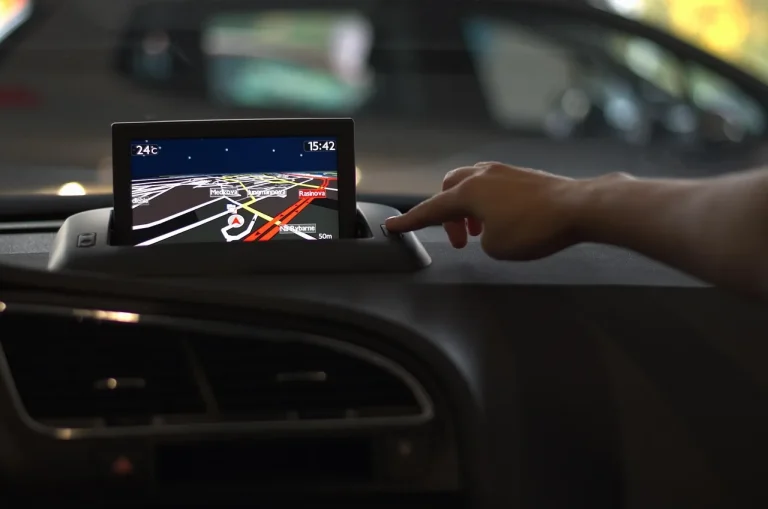
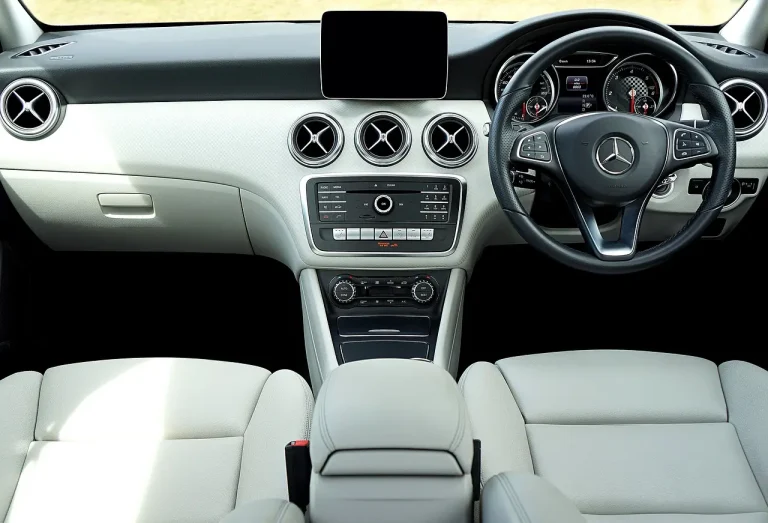
Built-in navigation is an integrated infotainment feature that uses onboard maps and a GPS receiver to calculate routes inside the vehicle. It can give turn-by-turn guidance without a phone for basic routing, but live traffic and some connected features may depend on an active service plan or a paired phone connection.
Onboard maps and GPS receiver
The GPS receiver uses satellite signals to estimate the car’s position. That basic location guidance does not need cellular service, which is why the system can still guide you through a route in places with weak reception. Tunnel travel, dense downtown streets, and urban canyons can interrupt positioning briefly.
Built-in systems vary by trim level and option package. Some cars include navigation in higher trims only, while others offer it as a paid add-on. The hardware sits inside the infotainment unit, so the screen, menus, and voice prompts matter as much as the map data.
Basic routing without cell service
Turn-by-turn routing is the main reason some drivers prefer factory navigation. The car can still calculate the next turn, show lane guidance on some systems, and repeat spoken directions without a cellular signal. That is useful on rural roads, in parking garages, and during travel through dead zones.
Live traffic is a different feature. It often depends on embedded data service, a connected services plan, or data shared from a phone. If that connection drops, the map may still work, but traffic jams, incident reports, and rerouting based on congestion may stop updating.
Live traffic and connected features
Many systems label traffic, weather, search, and remote services as connected features. Those functions usually need ongoing data access, and they are often the first items to disappear after a trial ends. The driver should separate “basic navigation” from “live traffic,” because the first can work offline while the second often cannot.
Is built-in navigation easier to use than an app?
Sometimes yes, especially for drivers who dislike app-based interfaces or do not want to keep a phone mounted and unlocked. The real answer depends on the screen, the menu depth, and how clearly the voice prompts speak. A good factory system can feel simpler; a cluttered one can feel harder than a phone.
Why screen size and font matter
For seniors, readability is often the deciding factor. A larger infotainment screen with clear font size, strong brightness, and controlled glare is easier to follow than a small phone screen in sunlight. Touch targets also matter. Tiny buttons and crowded menus increase missed taps and frustration.
Some vehicles place navigation on a screen that is easy to reach but hard to read at a glance. Others reverse that problem. If the map text is small, the contrast is poor, or the screen reflects daylight, the system may be less usable than a simple phone mount.
Voice prompts and voice control
Voice guidance can reduce screen interaction, which helps drivers who do not want to manage apps while driving. Good systems speak early enough to give time for lane changes, and they repeat turns clearly. Voice control can also reduce menu digging, but accuracy varies by brand and command style.
Suppose a driver wants a pharmacy two towns over and only uses voice commands. A clear system may accept the full address in one prompt, while a weaker one may mishear the street name and force several retries. That difference matters more than the badge on the screen.
Menu depth and command accuracy
Complex menus create the most resistance for app-averse drivers. If navigation sits about three or four menus deep, or if the system makes you confirm every choice on a tiny screen, it stops feeling simple. The best systems keep recent destinations, favorites, and home access close at hand.
- Check the display first. Look for a screen that is large enough to read at arm’s length, with clear fonts and strong contrast. Brightness and anti-glare performance matter because older drivers often read quickly, not slowly.
- Test the voice prompts. Ask a salesperson to demonstrate route entry, rerouting, and destination search. Listen for command accuracy, prompt timing, and whether the system understands plain speech instead of rigid phrases.
- Count the menu taps. Open a saved destination, enter a new address, and change a route option. If common tasks take several screens, the system may be less comfortable than a phone app or a lower-cost phone mount.
Navigation decision table
Use this checklist to decide whether built-in navigation deserves the extra cost. Answer yes or no to each line. If you mark yes on at least 7 of the 10 items, built-in navigation is a reasonable buy. If you score about 6 or fewer, a phone-based setup is usually the better value.
| Criterion | Yes / No |
|---|---|
| You prefer not to use a smartphone for driving directions. | |
| You want large on-screen prompts instead of a phone screen. | |
| You travel off-grid or through weak-signal areas often. | |
| You want voice guidance without handling a phone. | |
| You can tolerate subscription fees after any trial ends. | |
| You are willing to deal with map-update steps. | |
| Your vehicle screen is easy to read in bright light. | |
| You mainly need directions for familiar routes and parking lots. | |
| You are willing to learn the menus and settings. | |
| You plan to keep the car long enough for the system to matter. |
Who should pay for built-in navigation?
Built-in navigation is worth paying for when convenience and independence outrank price. The best fit is a driver who wants directions without a phone, needs readable prompts on the dash, or spends time outside good cellular coverage. If those needs are rare, the extra cost is harder to justify.
Here is the simple rule: pay for factory navigation only when the system clears most of your daily-use hurdles, not just one. A driver who likes large prompts, wants voice guidance, and dislikes phone pairing may find it useful. A driver who mostly follows familiar roads may not.
What are the hidden costs?
The purchase price is only the first layer. Built-in navigation can add to the trim price, and some brands separate map updates, traffic, and connected services into different fees. Over several years, those costs can matter as much as the original option price.
Map updates
Map update frequency varies by brand. Some automakers include free updates for a period, while others charge for them after a trial or deliver them as a subscription. Updates may arrive by USB, SD card, Wi-Fi, or dealer service, so the burden is not the same across vehicles.
Outdated maps are a common failure case. A system may still find major roads, but it can miss new exits, new subdivisions, or changed street names. That is why a built-in system that is never updated can become less useful over time.
Subscription plans
A subscription plan may continue after an initial trial ends. It can cover live traffic, map updates, or other connected services, and pricing varies by automaker and model year. The key question is not only the first year’s cost, but what the system will cost over the life of the car.
Picture a driver who chooses factory navigation for clarity, then discovers the traffic feed stops after the trial. The basic map still works, but the feature they relied on most now needs a paid plan. That is the kind of surprise to check before signing.
Trim and option-package pricing
Built-in navigation is often tied to a trim level or an option package. That can make the feature expensive when compared with a phone app and a basic mount. If navigation also forces upgrades for a larger screen or a better audio package, the real price climbs further.
Does built-in navigation work without a smartphone?
Yes for basic routing. Built-in navigation does not require a smartphone for turn-by-turn guidance, because it uses onboard maps and a GPS receiver. But live traffic, search, and some connected services can stop working if the car loses its data connection or the trial ends.
Offline routing
Basic navigation can work without a cell signal because the GPS receiver tracks position independently of cellular data. That makes it useful for rural travel, mountain roads, and other places where phone service drops. It is the routing, not the traffic feed, that stays available first.
When live traffic stops working
Live traffic often depends on an active connected service plan or data connection. If that connection disappears, the map may still show your location, but congestion reports and alternate-route suggestions may stop updating. Drivers who count on real-time rerouting should confirm that detail before buying.
What happens after a trial ends
Trial periods vary by brand. After they end, some features stay on while others stop until you renew. Read the contract carefully, because a car may still have navigation but lose traffic, search, or voice-connected services unless the plan is renewed.
When smartphone navigation is the better choice
Phone navigation is often the better fit when you want faster map updates, lower up-front cost, and less menu learning. Apps usually update more quickly than factory maps, and they tend to be easier to keep current. For many drivers, that matters more than a built-in screen.
Frequent map changes
If you drive in areas with new roads, frequent construction, or changing turn restrictions, a smartphone app has an advantage. App maps can update quickly through the phone connection, while built-in maps may wait for the next software release or update package.
Low tolerance for menu learning
If a driver dislikes learning new menus, a phone app may still be simpler, especially if the app is already familiar. Some factory systems bury routing in multiple layers, and a hard-to-read touch interface can make the process worse rather than better.
Drivers who want faster updates
Drivers who expect the latest road data may prefer a phone app because it is easier to keep current. That is especially true for people who travel often, change routes regularly, or rely on new restaurant and business locations. In that case, the update burden usually falls on the phone, not the car.
What are the downsides of built-in navigation?
The main downsides are cost, update burden, and mixed usability. Built-in navigation can be expensive up front, may require paid updates or subscriptions, and can be awkward if the screen is small or the menus are deep. Voice recognition also varies, so convenience is not guaranteed.
A common first-timer mistake is assuming every factory system works the same way. One brand may offer free map updates for a period, while another may charge for each update or require dealer service. The driver should ask how the system is updated before the vehicle is ordered.
Another issue is familiar-route use. If most trips are the same grocery, clinic, and home routes, the value of a full navigation package may be limited. In that case, a simple phone mount or a vehicle without nav may be enough.
Frequently asked questions
Is built-in navigation worth it for seniors?
Often yes, if the screen is readable, the voice prompts are clear, and the driver wants a phone-free setup. It is less compelling if the menus are hard to learn or the map updates are costly. For many seniors, convenience and independence matter more than the lowest purchase price.
Is built-in navigation easier to use than smartphone apps?
Sometimes, especially when the vehicle has a large screen, simple menus, and good voice control. A factory system can feel easier because it lives in the dash and does not require phone pairing. But a cluttered interface can be harder than a familiar app with current maps.
Does built-in navigation work without a cell signal?
Yes for basic routing. The GPS receiver can guide the car without cellular service, so turn-by-turn directions still work in many dead zones. Live traffic and some connected features may stop, though, because they often need data access to update road conditions.
Does built-in navigation require a subscription after the trial?
Often for traffic, connected services, or continued map updates. Some brands include a trial and then ask for payment later, while others charge from the start or include certain updates in the purchase price. The exact cost depends on the automaker, trim, and model year.
How much do map updates cost on built-in navigation?
There is no single price. Some automakers include updates for a limited time, some charge for them, and some bundle them into a connected services plan. Updates may arrive by USB, SD card, Wi-Fi, or dealer service, so the cost is not only money but also effort.