Lane Keeping Assist: What It Is and How It Works
Lane keeping assist uses a forward camera, sometimes radar, and electric power steering to detect lane lines and add small steering torque when your car drifts toward a marking without a turn signal. If you read those nudges as a fault, or rely on them on roads the camera cannot track, you can end up resisting the wheel or missing a real lane departure. This guide explains the sensor-to-steering loop, what the system reads, what the intervention feels like, when it will not act, and how it differs from nearby driver-assistance features.
Its job is narrower than many dashboards make it appear. Lane keeping assist sits within the ADAS stack and helps keep the car inside detected lane boundaries, but you still monitor the road, the wheel, and the result.
In some vehicles, the correction comes through steering torque. In others, the car can brake one side as well. Either way, the intervention is capped, and you can override it with a firmer steering input at any time.
How it detects and corrects drift
The basic job
Lane keeping assist steps in after the car drifts close to a lane line or starts to cross one. Most systems watch how quickly the vehicle is moving toward the painted edge, then add a light steering correction to guide it back toward the middle of the lane.
That matters because the feel is reactive. Most lane keeping systems do not hold a perfect center at all times. They wait, detect drift, then step in.
Where it fits in the driver-assistance stack
Lane keeping assist works alongside lane departure warning technology. According to Parkers, all cars with lane-keeping assist also have lane departure warning, which means the warning function usually shares the same camera view and lane model.
It is also commonly grouped with adaptive cruise control, blind-spot monitoring, forward collision warning, and other ADAS features. When speed control and steering support work together, the package is often described as Level 2 partial driving automation, but the driver remains responsible for the car’s course.
What it does not mean
A vehicle can alter its course without being self-driving. Lane keeping assist is still a support feature, not permission to relax supervision or let go of the wheel.
How does lane keeping assist work?
Lane keeping assist is commonly described as a control loop: a windshield-mounted camera reads lane markings, software estimates where the car sits in the lane and where it is heading, the ADAS controller decides whether drift needs correction, and the steering or brake actuator applies a small intervention the driver can override.
Camera view: reading the lane
Most systems use a forward-facing camera mounted high on the windshield, usually in the housing beside the rear view mirror, to track the left and right lane lines ahead of the car. From that position, the camera looks through a defined patch of glass and follows the painted boundaries far enough ahead to judge lane width, curvature, and your path relative to both edges.
That location also explains a common failure mode. If the glass is dirty, fogged, iced, or blocked in that small camera zone, the system can lose the lane even when the rest of the windshield looks clear.
Software view: estimating position and heading
The camera image alone is not the finished answer. Software looks for left and right lane boundaries, judges their confidence, then estimates the vehicle’s position in the lane and its heading relative to those lines.
Many systems combine that lane model with vehicle data such as speed, steering angle, wheel speeds, and yaw rate. Camera is the primary sensor in many cars, but the control decision usually depends on more than one input.
Suppose a straight dual carriageway has clear white paint on the left but worn paint on the right. The software may still build a usable lane model, but confidence drops. That often changes the feel from steady, light nudges to no intervention and a brief unavailable message.
Control view: deciding whether to act
The controller asks a simple question many times per second: is this normal lane tracking, a deliberate lane change, or an unintended departure? If an unintended departure is identified, Lane Assist makes a correction and steers back.
Indicator status matters here. If the turn signal is on, intervention is typically suppressed so the car does not resist a planned lane change or overtaking move.
Speed matters too. Some systems activate once the vehicle is travelling over 40mph, and one cited Škoda example activates above 65 km/h. Exact thresholds vary by make, model, and mode, which is why a system that works on one road at one speed may stay idle on another.
Actuator view: steering torque and brake-based correction
If the car drifts, the system can apply steering or braking. In steering-based designs, the electric power steering motor adds torque at the wheel. You feel the rim load up gently as the system tries to steer the front tires back away from the line.
Brake-based systems work differently. By braking one side, the car creates a yaw moment that points it back into the lane. Some vehicles use this alone; some use it as a backup or a stronger second step after a warning.
The correction is limited by design. The system may be set to warn and correct if you do not recentre the car, but it still expects you to take over fully if the road, hazard, or lane geometry needs more than a small input.
What does the steering correction actually feel like?
Lane keeping assist usually feels like a brief nudge or counter-steer as the car nears a lane line, not a constant effort to hold dead center. In stronger calibrations, that nudge can feel like a firm tug. The exact feel depends on steering tuning, lane confidence, speed, and whether the car uses steering torque, one-side braking, or both.
Gentle nudge versus stronger tug
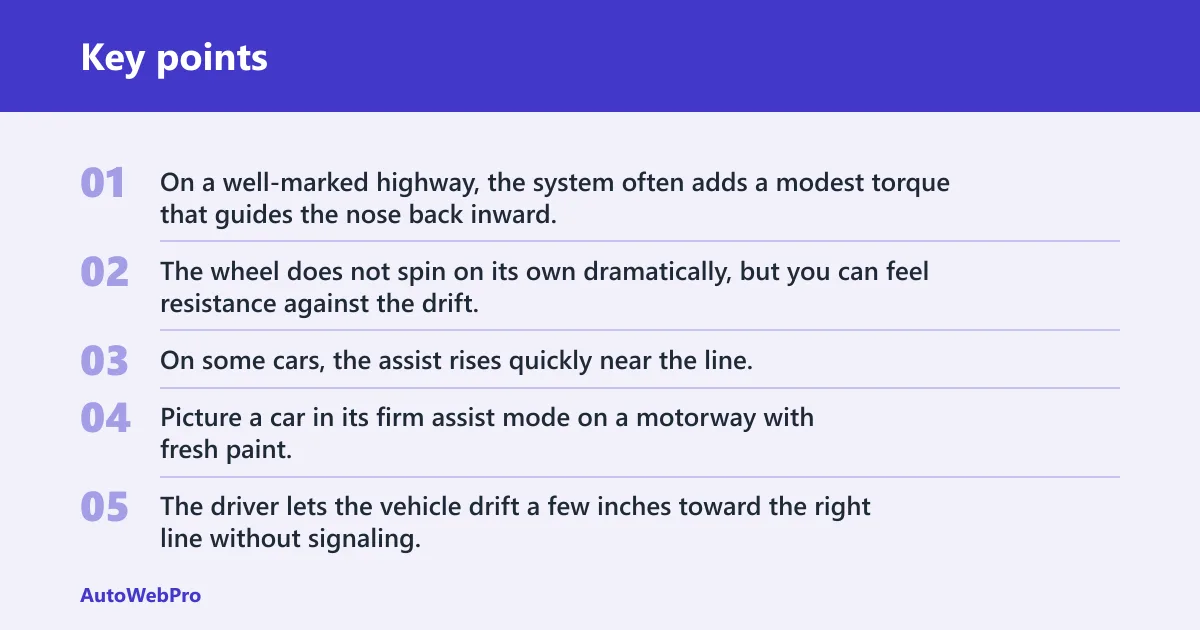
On a well-marked highway, the system often adds a modest torque that guides the nose back inward. The wheel does not spin on its own dramatically, but you can feel resistance against the drift.
On some cars, the assist rises quickly near the line. That can feel abrupt, especially if the system waits until departure risk is obvious, then applies a short, stronger correction rather than a long, faint one.
Picture a car in its firm assist mode on a motorway with fresh paint. The driver lets the vehicle drift a few inches toward the right line without signaling. Instead of a soft reminder, the wheel gives one clear tug left, then releases once the car is back inside the lane.
Why some systems feel natural and others do not
Three things shape the feel from the seat: when the system decides to act, how much torque or brake force it uses, and how steadily it can see both lane lines. If any of those change, the same feature can feel polished on one road and awkward on the next.
Road crown, wind, grooves in the pavement, and steering ratio also matter. A fast steering rack can make a small correction feel more immediate. Low lane confidence can make intervention arrive later, which often feels harsher because the system is correcting a larger drift.
Why lane centering feels different
Lane centering continuously tries to hold the car near the middle of the lane. Lane keeping assist usually waits until drift is developing, then pushes back toward the lane centre.
That difference is easy to feel. Lane centering gives a steady hand-on-center sensation. Lane keeping assist feels more like a boundary guard that wakes up near the edges.
Is lane keeping assist the same as lane departure warning?
No. Lane departure warning is a warning-only function that uses a visual cue, sound, or vibration when the car leaves the lane unintentionally. Lane keeping assist adds active correction, so the vehicle can steer or brake lightly to move back inside the detected lane boundaries. (Consumerreports)
What LDW does
LDW alerts the driver but does not actively steer. Depending on the brand, that warning can be a dashboard icon, a chime, a steering-wheel vibration, or a seat vibration.
What LKAS adds
LKAS takes the same lane information and adds intervention. The system may warn first, then correct if the driver does not recentre the car.
This is why drivers sometimes confuse the two. The same mirror-area camera and the same lane icon on the cluster can sit behind both features, yet one only tells the driver about drift while the other changes the vehicle path slightly.
When does lane keeping assist turn on and step in?
Lane keeping assist usually turns on only after a minimum speed and only when the camera can read lane markings clearly enough to trust them. It typically steps in when the car drifts toward or across a detected line without a turn signal, though timing and force vary by manufacturer and drive mode.
Speed thresholds
Most systems are biased toward higher-speed roads because lane boundaries are more standardized there and small corrections are more useful. Some systems activate once the vehicle is travelling over 40mph. One cited example activates above 65 km/h.
That does not make either figure universal. Some brands also let the warning and steering portions use different thresholds, or offer early and late intervention settings inside the driver-assistance menu.
Indicator logic and lane changes
Turn signals are a major part of the decision. Intervention is typically suppressed during a signaled lane change or overtake because the controller may treat that drift as intentional.
Does it work without turn signals? Often yes, in the sense that the system may step in if the car crosses a visible line without signaling. That is the point of the feature: to catch unplanned drift rather than planned movement.
Say your car is on a ring road at 50 mph with clear markings and LKAS active. If you move left with the indicator on, the wheel usually stays quiet. Make the same move with no signal, and a warning or light steering nudge is much more likely.
Road types the system expects
Highways and dual carriageways are where most systems feel most settled. Clear lane width, predictable curvature, and consistent paint give the camera a cleaner target.
Narrow rural roads, merge zones, exits, patched asphalt, and work-zone markings are harder. The system may stay on but reduce intervention, or it may show lane lines in gray, disappear entirely, or report that assist is unavailable.
Why does lane keeping assist only work on some roads?
Lane keeping assist only works well when the camera can identify reliable lane boundaries and the controller sees road geometry it expects. Faded paint, missing lines, sharp curves, roadworks, glare, shadows, rain, snow, and a blocked camera view can all reduce confidence enough that the system may weaken, warn, or shut itself off temporarily.
Lane markings and road geometry
Lane markings must be visible and detected by the camera. Faded or missing lines reduce performance because the controller cannot estimate lane position and heading with enough confidence to steer on your behalf.
Work zones are especially messy. Old paint scars, temporary tape, cones, and shifting lane widths can create multiple candidate boundaries. The system may choose the wrong pair, flicker between them, or refuse to act.
Light, weather, and blocked views
Glare can wash out bright paint. Rain can reflect sky and headlights. Shadows from trees or bridge joints can resemble lane edges for a moment, then vanish.
Snow and road slush are more direct: they simply cover the markings. A dirty patch in front of the camera can do the same thing on an otherwise clear day.
Why faded paint confuses it
The software is not looking for the idea of a lane. It is looking for visual features with enough contrast, continuity, and shape to count as lane boundaries. Faded paint lowers contrast and breaks continuity, so the lane model becomes uncertain even if a human driver still knows roughly where the lane is.
Lane keeping assist matrix
Common conditions and likely responses
| Trigger condition | Expected steering feel | Likely warning message | Common cause | Driver action |
|---|---|---|---|---|
| Clear lane lines at cruising speed, no turn signal, slight drift toward a line | Light nudge or gentle counter-steer back inward | Often none, or a green lane icon only | Normal LKAS correction with good camera confidence | Hold the wheel, recentre the car, keep supervising |
| Faded or patchy lane markings | Weak, late, inconsistent, or absent correction | Lane lines gray, assist unavailable, or lane not detected | Low-contrast paint or broken lane model | Drive normally without relying on assist; expect no intervention |
| Indicator-on lane change or overtake | Usually no resisting torque during the move | Often no warning; lane icon may remain active | System treats the maneuver as intentional | Complete the lane change smoothly and cancel the signal after |
| Strong glare, low sun, or heavy reflections | Intervention may drop out or arrive late | Front camera view limited, assist unavailable, or lane not detected | Washed-out markings or unstable image contrast | Take full manual control and expect temporary loss of assist |
| Dirty windshield or blocked camera area near the mirror | No correction, or repeated short attempts then nothing | Camera blocked, sensor blocked, or steering assist unavailable | Film, frost, fog, snow, stickers, or dirt in the camera zone | Clean the glass in front of the camera and retry later |
| After windshield replacement with camera miscalibration | Unexpected tug, off-center corrections, or frequent unavailability | Calibration required, assist unavailable, or front camera fault | Camera angle no longer matched to vehicle centerline | Have the camera calibration checked before depending on the system |
How lane keeping assist interacts with other ADAS features
Adaptive cruise control and partial automation
On many cars, lane keeping assist is paired with adaptive cruise control. Speed control handles following distance while steering support manages drift, which can make the car feel more active on the motorway than either feature does alone.
That combined behavior is why many ranking pages place these systems inside Level 2 partial driving automation. The car can influence both speed and direction, but it still does so under driver supervision rather than as an autonomous mode.
Blind-spot monitoring and lane-change situations
Blind-spot monitoring adds another layer during lane changes. If a car is beside you, some vehicles may combine visual blind-spot alerts with lane-related steering or braking responses when you move toward an occupied lane.
That can feel different from basic LKAS. Instead of a simple line-based nudge, the car may resist a lane change because another vehicle is there, even though the lane marking itself is clear.
Why combined features change the feel
Drivers often describe one “lane assist” feel when several systems are contributing. Cruise control can change speed at the same time LKAS changes steering effort. Blind-spot logic can add urgency. The wheel feedback can therefore seem stronger than a lane line correction alone.
When the system is behaving normally versus when it needs attention
Normal limits versus warning signs
Normal behavior includes brief warnings, temporary unavailability in poor conditions, and no correction when lane lines are weak or a signal is active. Less normal behavior includes repeated unavailable messages in clear weather, off-center corrections after glass work, or steering that feels wrong on multiple well-marked roads.
A practical check is to compare the road, the icon state, and the wheel feel. If the icon shows the lane lines as detected but the correction is erratic on several clean, straight roads, inspection makes sense.
Quick inspection checklist
- Check the camera zone. Look at the windshield area in front of the mirror housing from outside and inside. Clean off film, bug residue, frost, and fog because the rest of the glass can look fine while the camera’s patch is partly obscured.
- Confirm the settings. Verify that lane keeping assist is enabled, not warning-only mode, and that its sensitivity has not been reduced. Some cars separate lane departure warning from steering assist, so a warning icon alone does not prove correction is active.
- Use a suitable road. Try the system on a straight or gently curving road with clear markings and at a speed where your manual says the feature can operate. A road with patchy paint or a speed below the threshold can mimic a fault.
- Watch the cluster icons. Note whether the lane lines show as detected, gray, or missing when the system drops out. That clue helps separate a camera-visibility problem from a steering-assist problem.
- Review recent glass work. If the windshield was replaced, ask whether the forward camera was recalibrated afterward. Post-replacement miscalibration can cause odd pull, late corrections, or constant unavailability even on clear roads.
- Book an inspection. If blocked-camera messages, calibration prompts, or steering-assist faults repeat after cleaning and a proper road check, have the system inspected. Repeated warnings in normal conditions are not something to ignore.
After windshield replacement
The camera sits behind the rear view mirror, so its alignment depends on the glass and mounting position being correct. A small angle error can shift where the car “thinks” the lane center is.
A common first-timer mistake is to assume a new windshield automatically means the camera is fine because the image looks clear. Optical clarity is only part of the job. If calibration is off, the system can still steer late, steer early, or refuse to trust its own lane estimate.
Frequently asked questions
What sensors does lane keeping assist use?
Most systems rely mainly on a forward-facing camera mounted behind the rear view mirror to detect lane markings and track the car’s position in the lane. Some vehicles also use inputs such as steering angle, yaw rate, wheel speeds, and sometimes radar as supporting data for the control decision.
Can I override lane keeping assist if I need to avoid something?
Yes. The steering or brake intervention is limited, and you can override it by steering against it or making a stronger avoidance input. That is expected behavior, not a fault. The system is there to assist with drift, not to block a necessary maneuver around a hazard.
Why does lane keeping assist feel strong or unnatural in some cars?
It usually comes down to calibration and lane confidence. A system that waits longer before acting may apply a firmer correction, which feels abrupt. Steering ratio, tire response, road crown, and whether the car uses one-side braking as part of the correction can also make the response feel less natural.
Does lane keeping assist work without turn signals?
Often, yes. If the car drifts toward or across a visible lane line without signaling, the system may warn or intervene because it reads that movement as unintended. Turn signals typically suppress intervention during planned lane changes, but the exact logic still varies by vehicle and mode.
What speed does lane keeping assist usually activate at?
There is no single universal threshold, but many systems are set for higher-speed roads. Some systems activate once the vehicle is travelling over 40mph, and one cited example activates above 65 km/h. The owner’s manual matters because warning and steering functions can use different thresholds.
How does lane keeping system work?
It works as a loop. The windshield camera reads lane markings, software estimates lane position and heading, the ADAS controller decides whether the drift is intentional or not, and the steering or brakes make a small correction if needed. The driver remains responsible and can always override the assist.